Submit a Zoho sales receipt to MyInvois
Audience: Shop owner, staff at the counter Time: 1 minute
A sales receipt in Zoho Books records a sale that was paid on the spot, for example a cash sale. You can submit it to MyInvois from its own envoice widget, the same way as an invoice.
Watch the full flow above (a sandbox demo with example data), or follow the steps below.
1. Open the sales receipt and the widget
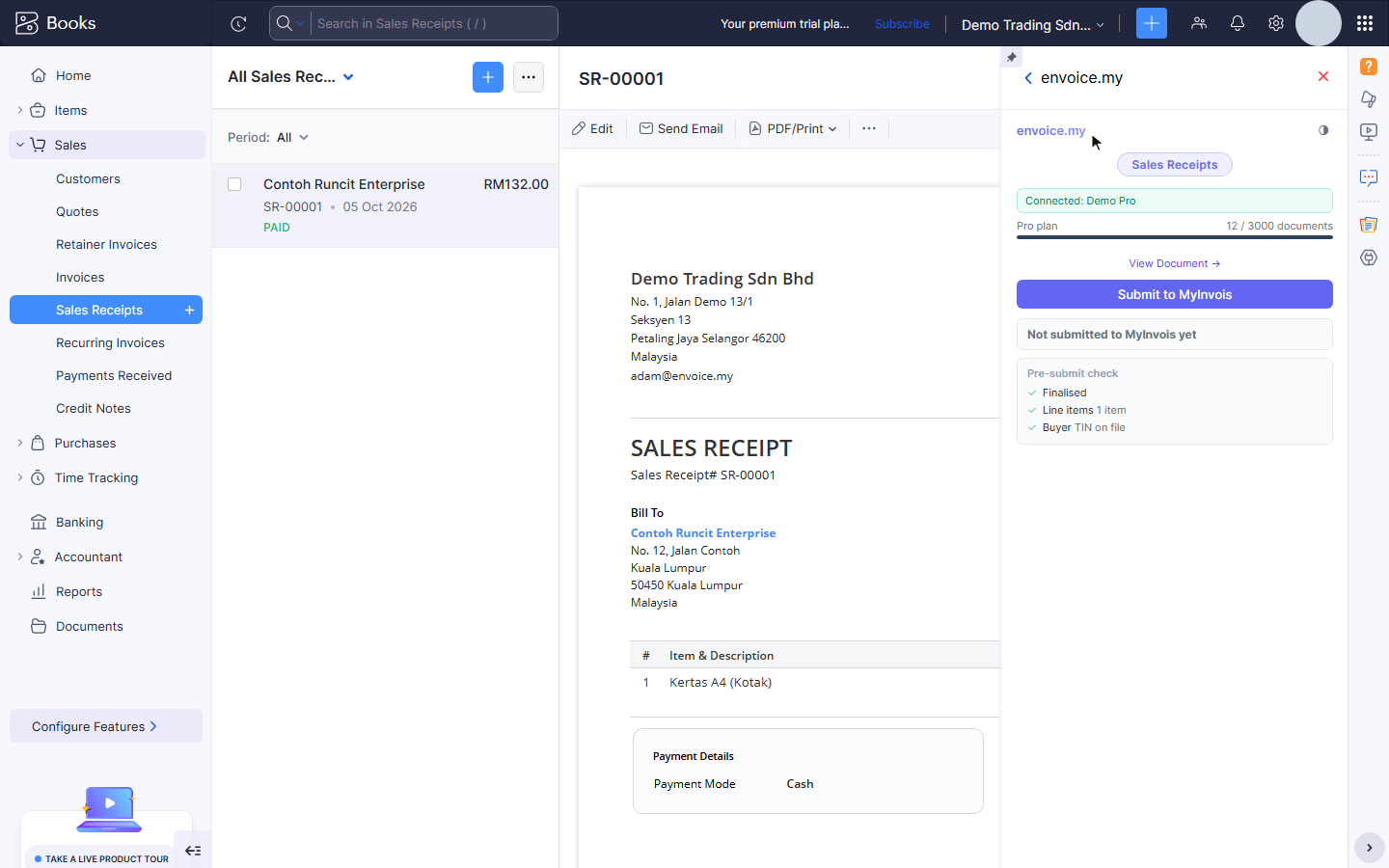
Go to Sales > Sales Receipts and open the receipt. Open the envoice.my widget. The widget title shows Sales Receipts, with the usual pre-submit check (finalised, line items, buyer).
2. Submit to MyInvois
Click Submit to MyInvois. envoice files the receipt as its own e-invoice (document type 01) for that buyer. It is not added to a monthly consolidated invoice.
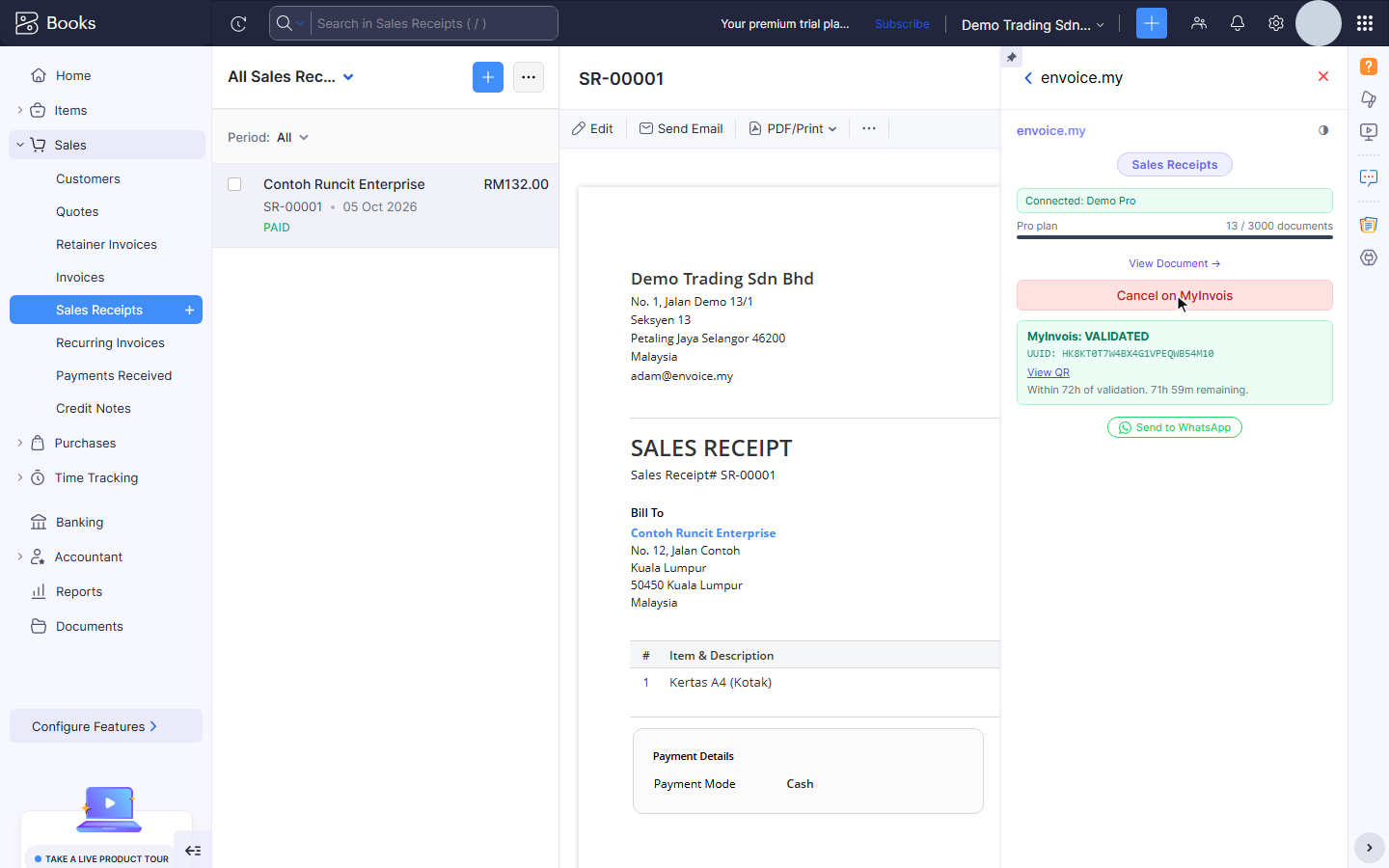
When LHDN accepts it, the widget shows MyInvois: VALIDATED with the UUID, View QR, the 72-hour cancel window and Send to WhatsApp, so you can send the e-invoice link to the customer straight away.
Walk-in buyers
If the buyer did not give their details, set the customer's TIN to the General Public TIN EI00000000010 or leave it empty, and envoice files it as general public. See Set LHDN fields on Zoho contacts and items.
Related