Cancel a Zoho invoice on MyInvois
Audience: Shop owner, staff who issue invoices Time: 1 minute
LHDN lets you cancel a validated e-invoice within 72 hours of validation, for example when it went out with the wrong quantity or to the wrong buyer. You cancel it from the envoice widget in Zoho.
Watch the full flow above (a sandbox demo with example data), or follow the steps below.
1. Open the document and the widget
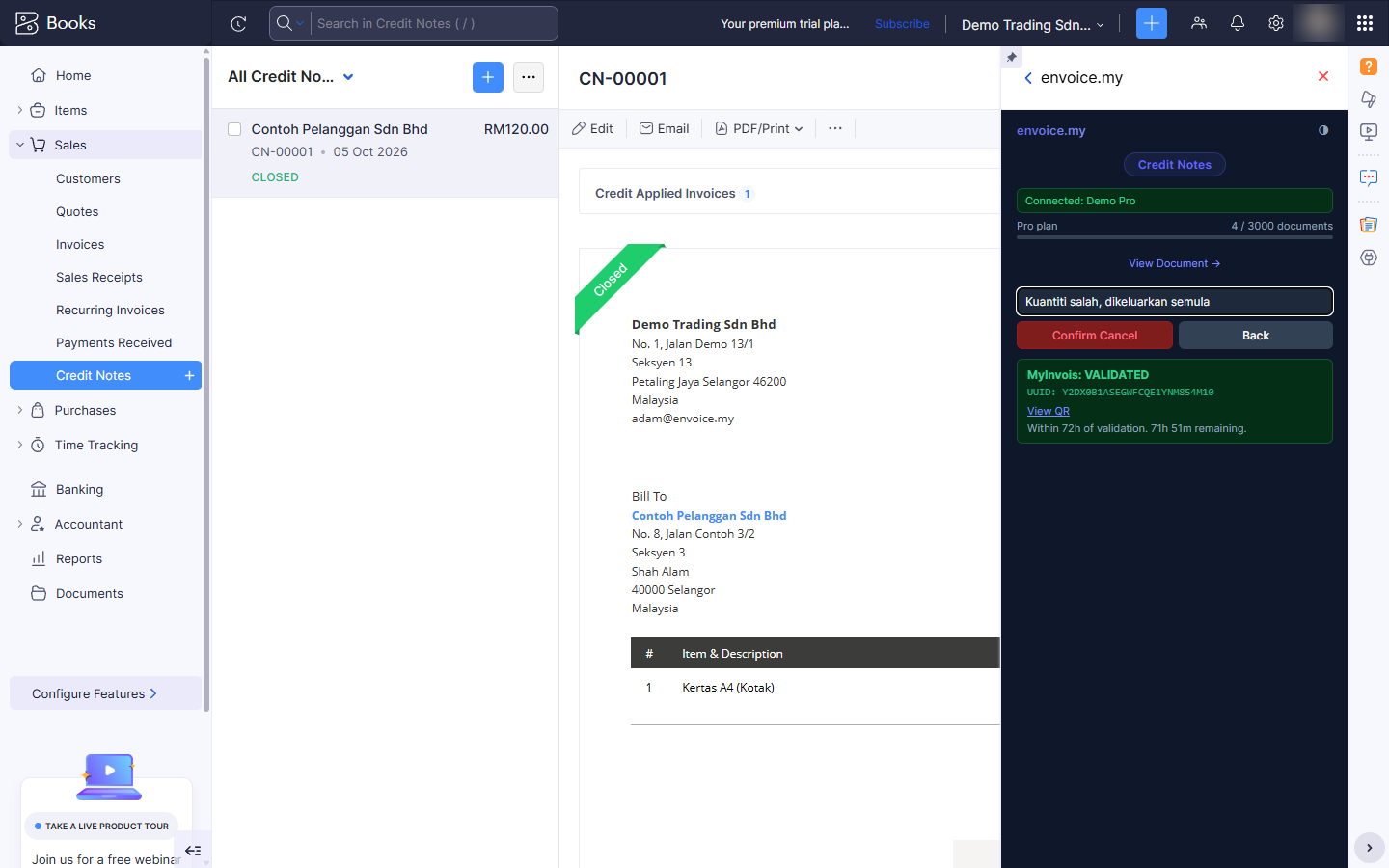
Open the validated invoice (or credit or debit note) in Zoho Books and open the envoice.my widget. Under MyInvois: VALIDATED the widget shows how much of the 72-hour window is left, for example "Within 72h of validation. 71h 59m remaining."
2. Click Cancel on MyInvois and give a reason
Click Cancel on MyInvois. Type the reason for cancelling, for example "Kuantiti salah, dikeluarkan semula" (wrong quantity, reissued). LHDN needs a reason of at least 5 characters, and your buyer can see it.
3. Confirm Cancel
Click Confirm Cancel. Click Back if you changed your mind.
4. CANCELLED
The widget shows MyInvois: CANCELLED. The e-invoice is void on MyInvois and the status in Zoho is updated.
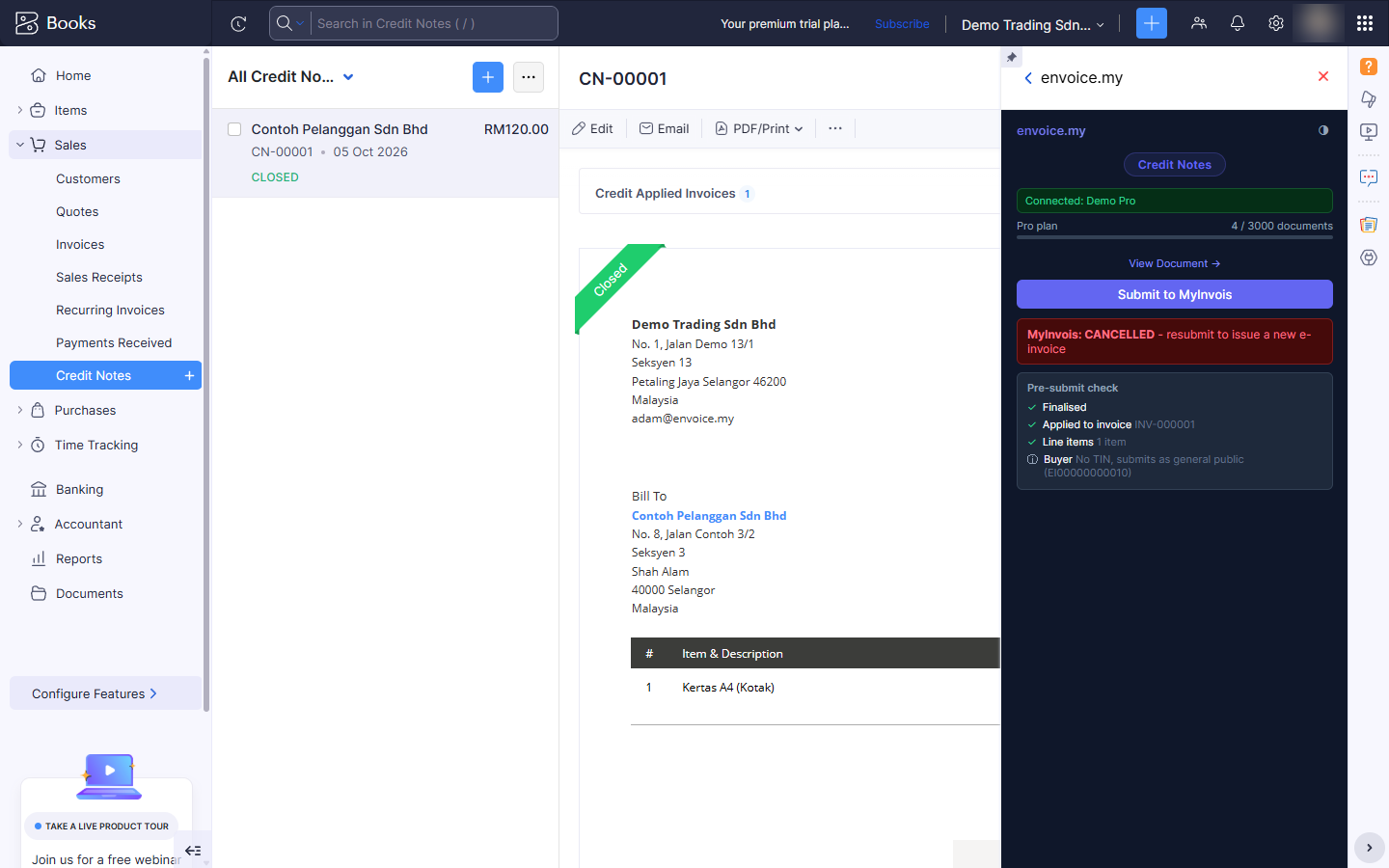
To issue the corrected invoice, fix it in Zoho and click Submit to MyInvois again: envoice files it as a new e-invoice with a new UUID.
Editing a validated document
Once a document has a live (validated) e-invoice, envoice stops you from saving changes to it in Zoho, so your books and MyInvois never disagree. If you click Save on the edit form, Zoho shows: "This document has a live MyInvois e-invoice. Cancel it on MyInvois before making any changes."
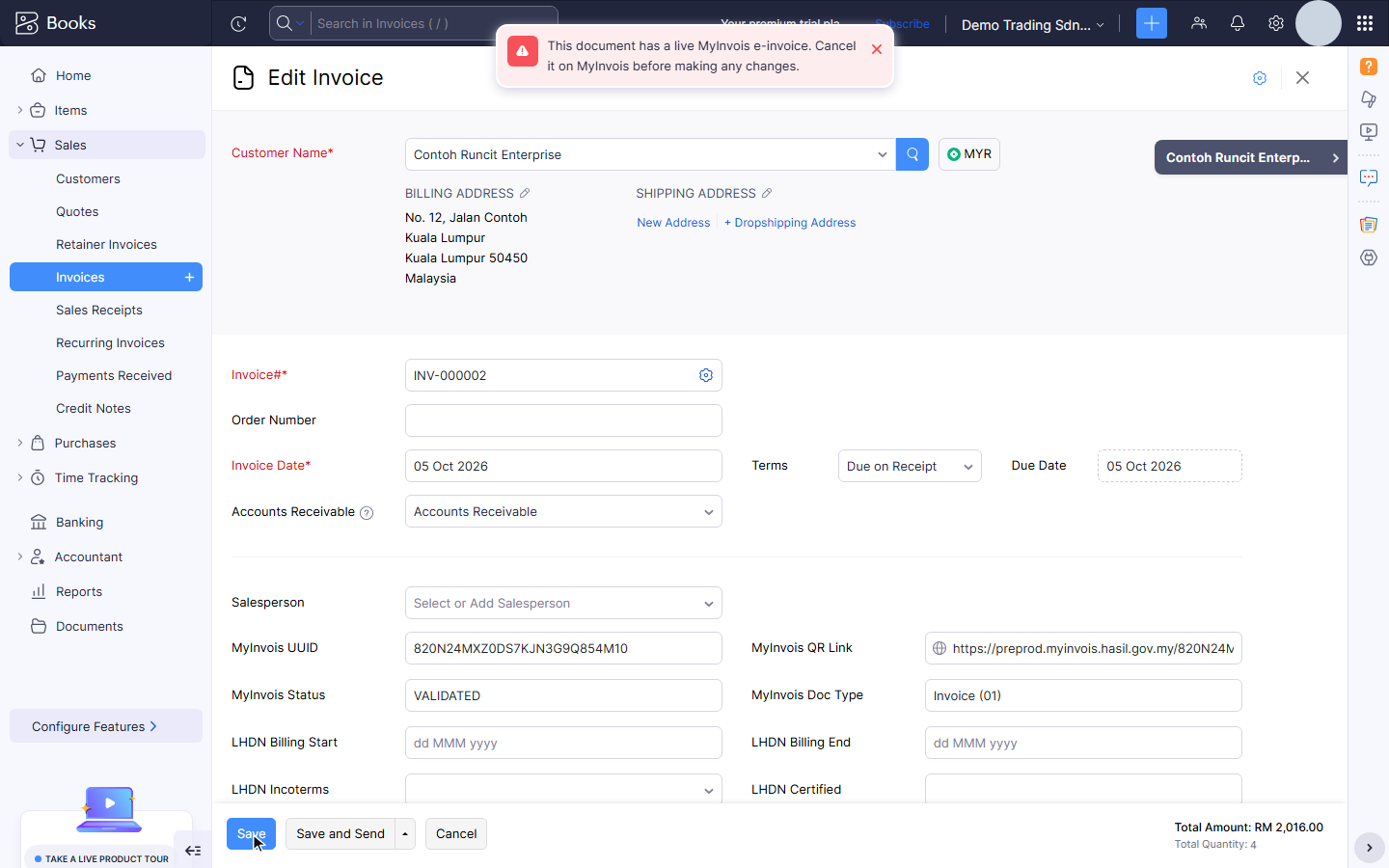
This check runs when you save, from envoice's background extension in Zoho, even with the widget closed. To change the document:
- Within 72 hours, cancel it on MyInvois as above.
- Edit it in Zoho and save.
- Open it and click Submit to MyInvois again. It is filed as a new e-invoice with a new UUID.
After 72 hours you cannot cancel, so leave the invoice as it is and issue a credit or debit note for the difference.
After 72 hours
Once the window has passed, the widget shows "Cancel window expired (72h)" and the cancel button is gone. LHDN no longer allows a cancellation. Correct the invoice with a credit note (to reduce it) or a debit note (to increase it): see Credit, debit and refund notes from Zoho.
Your buyer can also reject an e-invoice within the same 72 hours, which asks you to cancel it.
Related