Switch between shops
Audience: Shop owner (Admin), Accountant Time: 1 minute
A shop in envoice is one business identity: one TIN, one set of LHDN credentials, its own numbering, catalog, customers and team. If you run several businesses or outlets with different TINs, or you are an accountant looking after clients, you hold several shops under one login and switch between them.
1. Switch from the header
Click the shop name at the top right of any page. The menu lists every shop you can open, with your role in each. The dot and label at the top show whether the current shop is in sandbox.
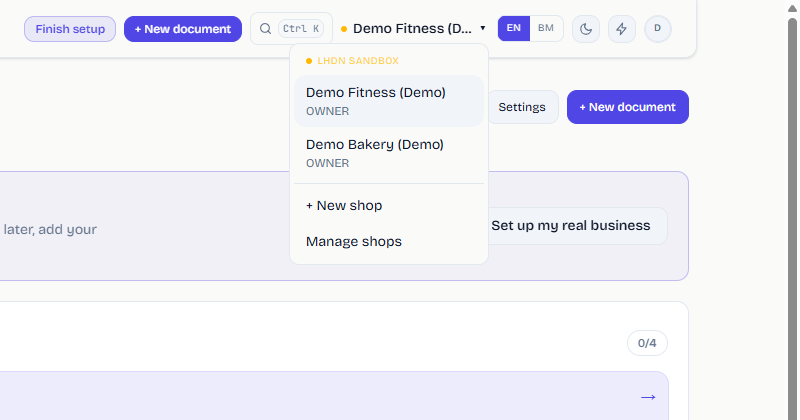
Click a shop to switch. The page reloads in that shop, and everything you see (dashboard, documents, settings) now belongs to it.
The same menu has + New shop and Manage shops.
2. See all your shops
Click Manage shops (or the Multi-shop tile on the dashboard) to open Your shops. Each card shows the shop's TIN and your role. The shop you are in is marked Current shop.
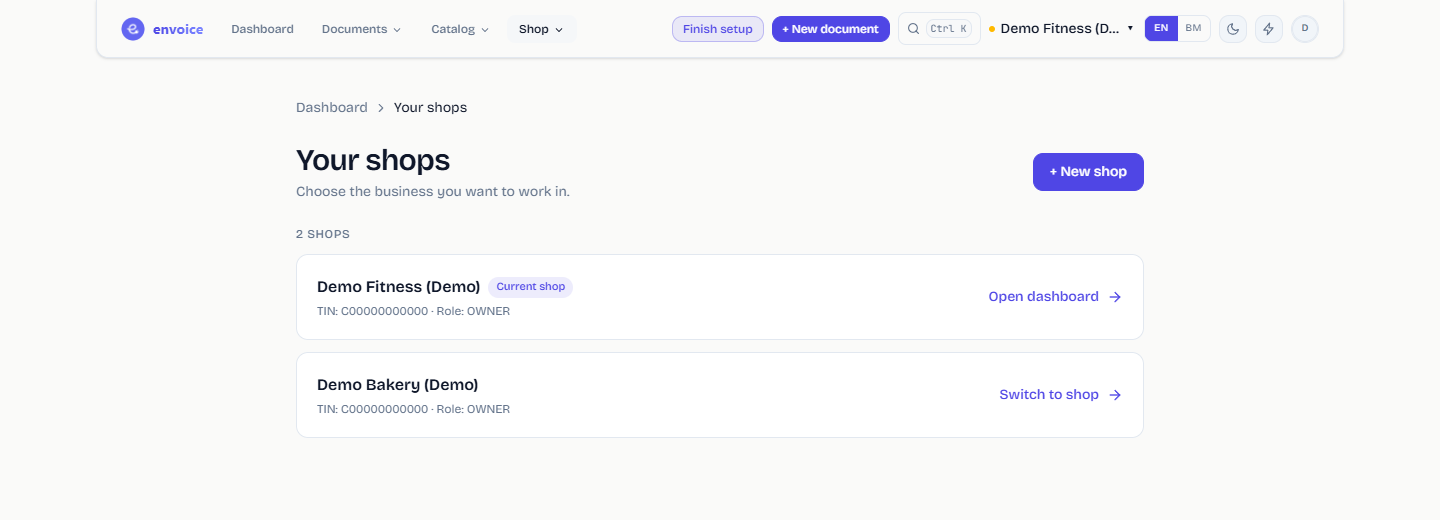
- Open dashboard opens the current shop.
- Switch to shop moves you into another shop.
- + New shop creates a new one. See Set up your shop.
Good to know
- Every plan includes one shop. On Starter, Pro and Enterprise you can add more shops for RM15 a month each from Billing.
- Each shop needs its own MyInvois Client ID and Secret, because LHDN issues them per taxpayer.
- Documents never move between shops. Pick the right shop before you create an invoice; the shop name is always shown in the header.
- An accountant invited to a client's shop sees it in the same menu. See Add team members.