API keys and webhooks
Audience: Developer Time: 10 minutes
Use the envoice REST API to create and submit e-invoices from your own POS, website or back office, and webhooks to hear back when their LHDN status changes. API access needs the Pro or Enterprise plan.
1. Create an API key
Open Settings > API Keys.
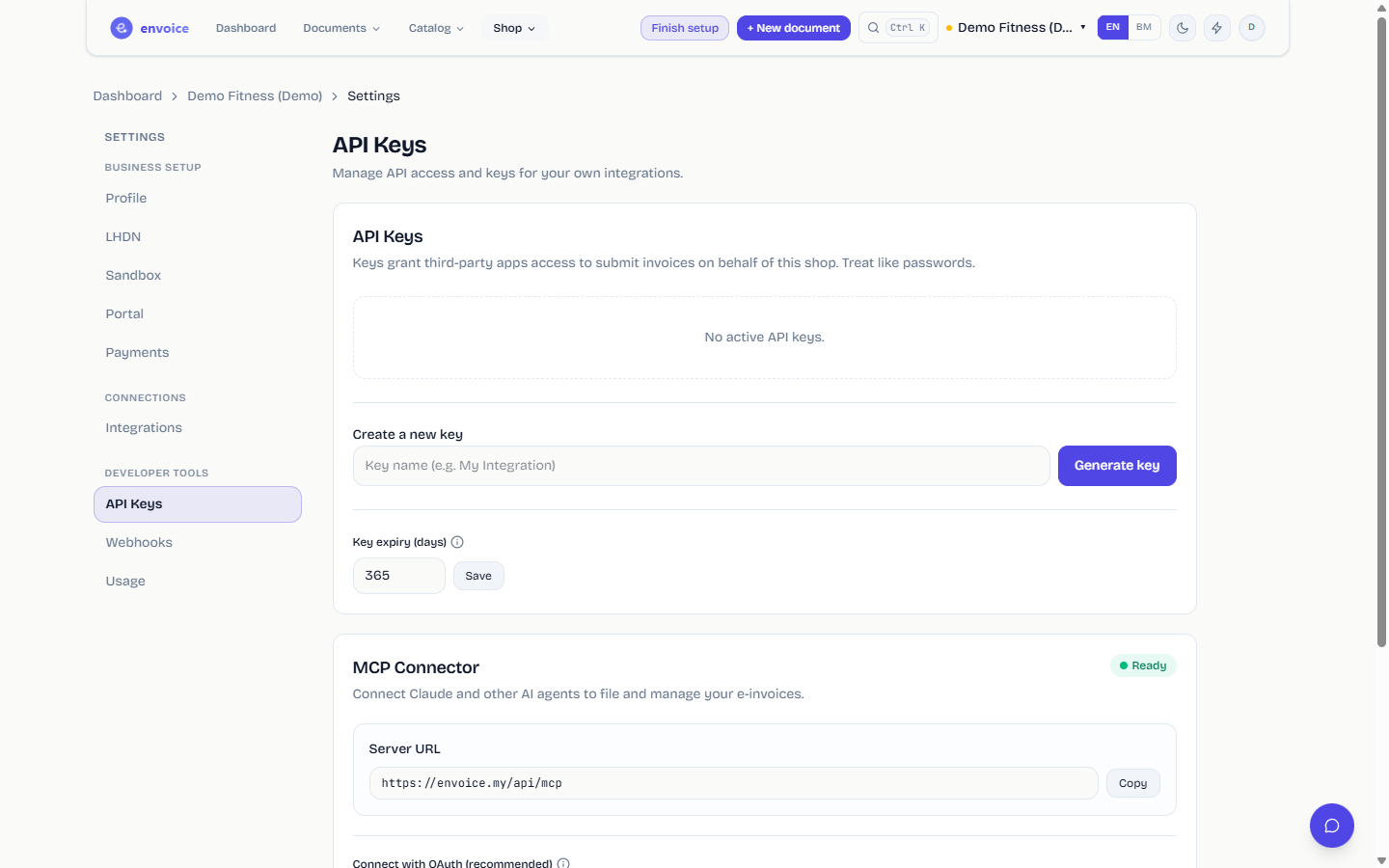
- Under Create a new key, give the key a name you will recognise (for example "Website checkout").
- Click Generate key.
- Copy the key straight away. It starts with
env_and is shown only once.
Treat keys like passwords: keep them on your server, never in a browser or mobile app. Each key belongs to one shop.
Key expiry (days) sets how long new keys last (365 days unless you change it). envoice emails the shop owner before a key expires. The table shows each key's prefix, when it was created and last used, and the days left. Click Revoke to stop a key immediately; integrations using it stop working.
2. Call the API
Send the key in the Authorization header:
Authorization: Bearer env_...
The base URL is https://envoice.my/api/v1. To create and submit an invoice, POST /invoices with JSON like this:
{
  "items": [
    { "description": "Monthly membership", "classification": "022", "quantity": "1", "unitPrice": "120.00" }
  ],
  "buyer": null,
  "paymentMode": "01",
  "idempotencyKey": "order-1001"
}
buyer: nullfiles the sale as a general public sale. For a named buyer, sendtin,name,idType(NRIC,PASSPORT,BRNorARMY),idValue,phone,address,city,postcodeandstate.idempotencyKeymakes retries safe: sending the same key twice never files twice.- The response includes the document
id,invoiceNumber,status,lhdnUuidandlhdnQrLink.
Other endpoints cover listing invoices, bulk and self-billed submission, credit, debit and refund notes, cancellation, refreshing the LHDN status, PDFs, consolidated invoices, the catalog and TIN lookup.
Settings > Usage shows requests from this shop's keys over the last 30 days, split into successful, client errors and server errors, with your top endpoints.
3. Add a webhook
Open Settings > Webhooks and click Add endpoint.
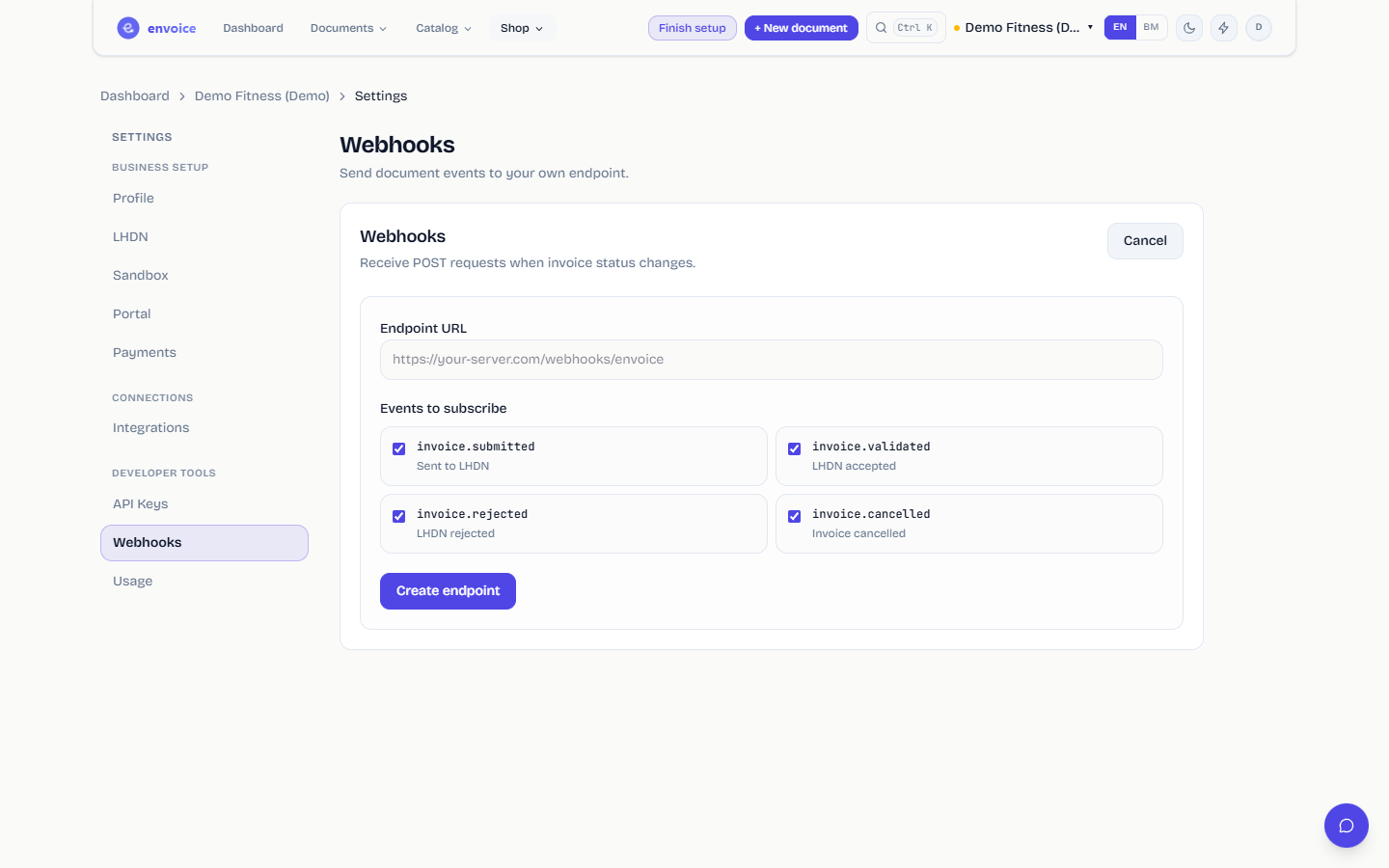
- Enter the Endpoint URL. It must be a public HTTPS address.
- Under Events to subscribe, tick the events you want:
invoice.submitted: sent to LHDNinvoice.validated: LHDN acceptedinvoice.rejected: LHDN rejectedinvoice.cancelled: invoice cancelled
- Click Create endpoint.
- Copy the Signing secret. It is shown once.
envoice sends a POST with a JSON body of the form { "event": "...", "data": { ... }, "timestamp": "..." } and two headers: X-Envoice-Event and X-Envoice-Signature.
Verify every request. Compute an HMAC SHA-256 of the raw request body with your signing secret, hex-encode it, and compare it with the header value after sha256=. Reject the request if they differ.
Each endpoint has Pause, Enable and History (every delivery with its status) controls. Deleting an endpoint stops deliveries for good.