Sandbox vs production: what changes
Audience: Shop owner (Admin) Time: 3 minutes to read
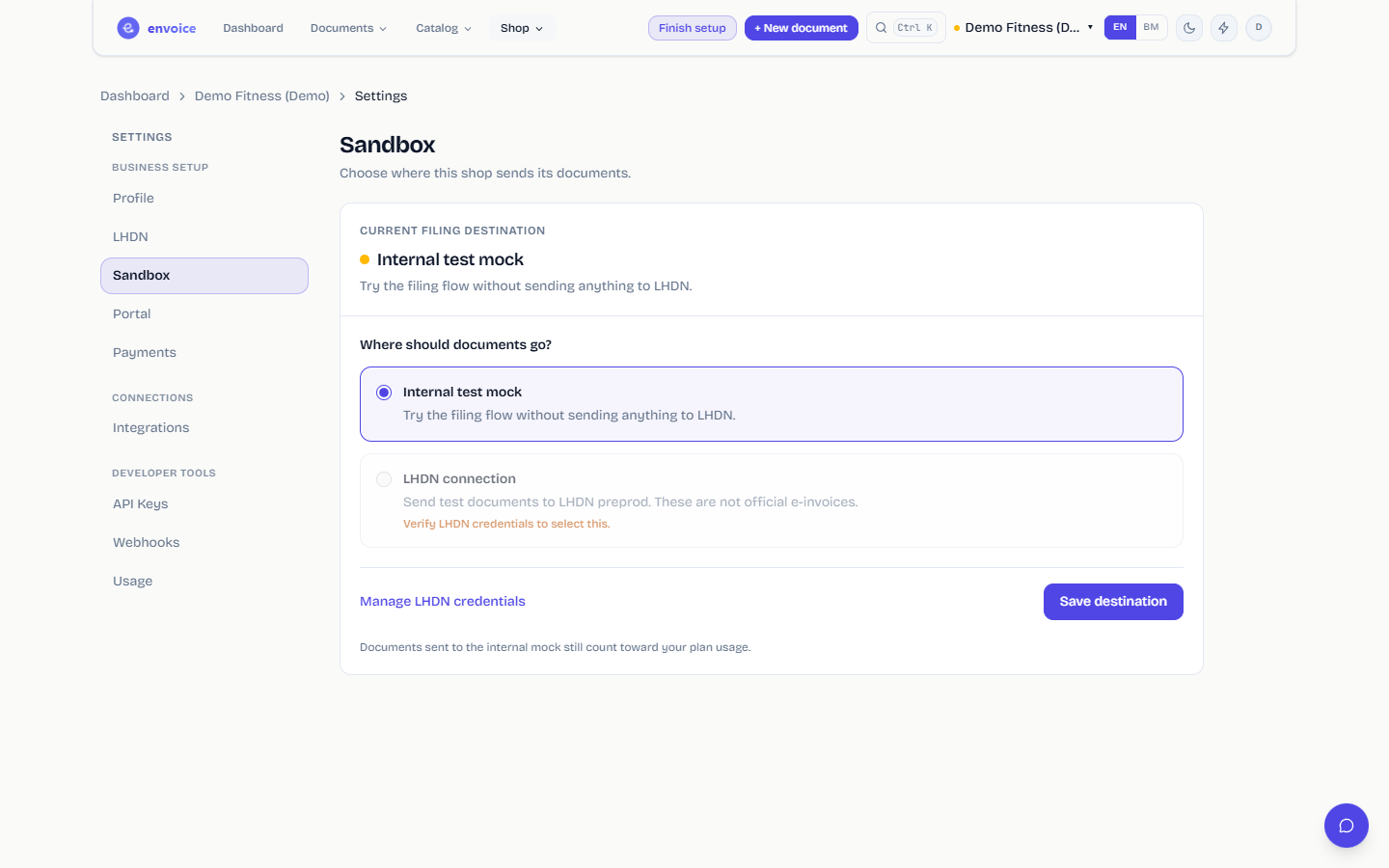
Every shop sends its documents to one of three destinations. You pick it in Settings > Sandbox, and the current one is shown at the top of that tab.
The three destinations
| Destination | What happens to a document | Credentials needed | Official e-invoice? |
|---|---|---|---|
| Internal test mock | envoice runs the full filing flow and returns a simulated result. Nothing leaves envoice. | None | No |
| LHDN test system (preprod) | The document is sent to LHDN's preprod system and validated there. | LHDN test Client ID and Secret | No |
| LHDN production | The document is sent to LHDN MyInvois and becomes a real e-invoice. | LHDN production Client ID and Secret | Yes |
New shops, including the demo shop you get on signup, start on the Internal test mock. The dashboard shows a SANDBOX badge next to the shop name while a shop uses it.
What stays the same
- The invoice form, catalog, customers, documents list and PDFs work the same way in every destination.
- Documents sent to the internal mock do not count toward your plan usage.
- Each shop has its own destination. Switching one shop does not affect your other shops.
Move from the mock to LHDN
Open Settings > LHDN, choose the Environment (LHDN test system or LHDN production system), paste the Client ID and Client Secret and click Save and verify.
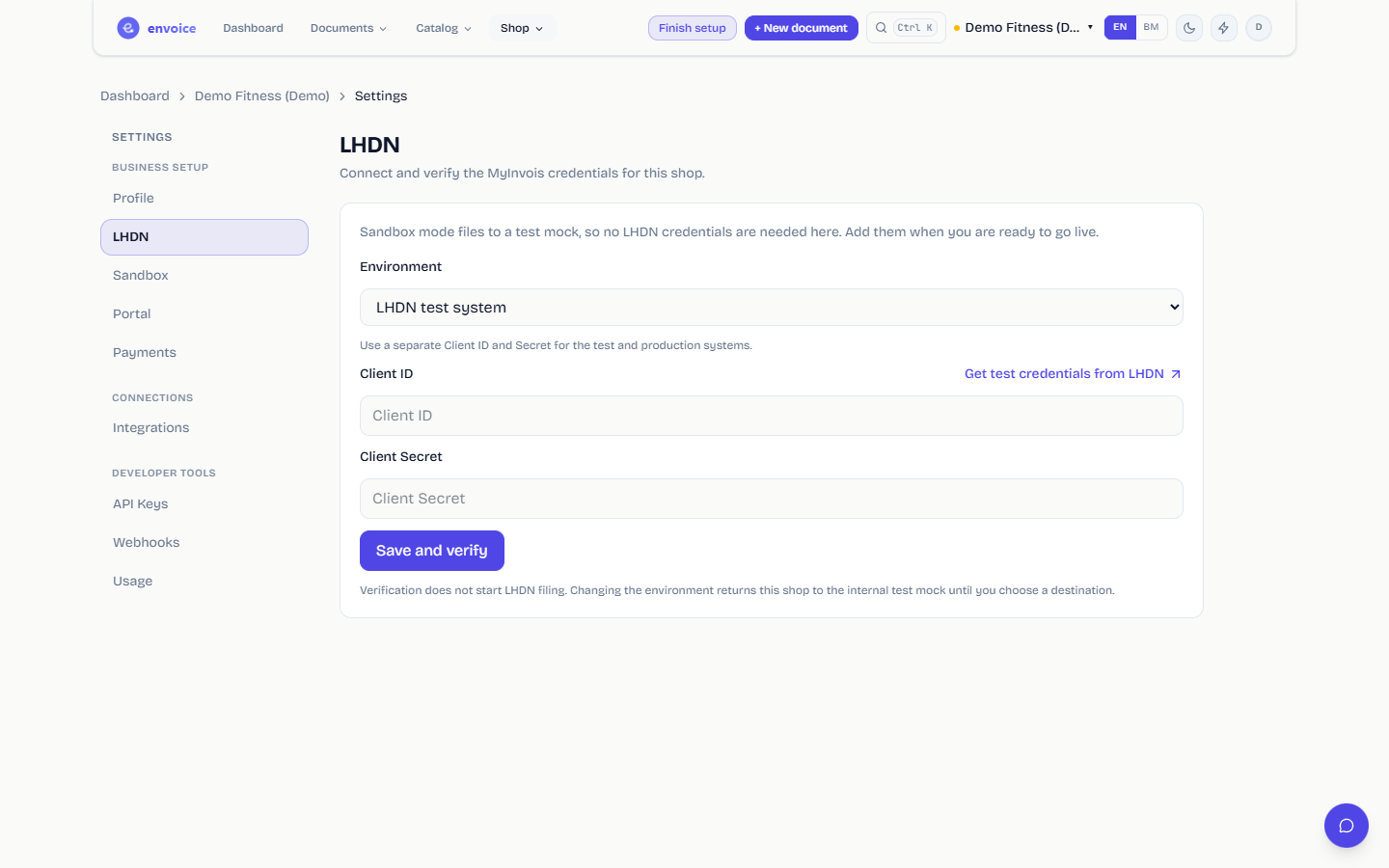
Open Settings > Sandbox, select LHDN connection, tick the confirmation and click Save destination.
The LHDN connection option stays disabled until the credentials are verified, and envoice also asks you to finish your real business details in Profile first.
Use a separate Client ID and Secret for the test and production systems. LHDN issues them separately.
Delete your test documents
Once you have finished testing, you can clear out everything you sent to the internal test mock. Only the shop owner sees this.
- Open Settings > Sandbox.
- The Test documents card shows how many test documents the shop has: e-invoices and notes, consolidated e-invoices, the sales inside those consolidated e-invoices, and any drafts or failed documents that refer to them. Those drafts and failed documents are deleted too, so none of them can be sent to LHDN later with a reference to a document that no longer exists.
- Click Delete test documents, check the counts in the confirmation and click Delete permanently.
This cannot be undone. It works before and after you go live.
What is not deleted:
- Anything filed to the LHDN test system or LHDN production.
- Drafts and consolidated sales that were never sent anywhere and do not refer to a test document. If those were tests too, void them from their invoice page so the monthly consolidated e-invoice leaves them out.
- A test document that another document or a real payment depends on. envoice keeps it and lists it on the card.
The card only appears while the shop has test documents, or test documents envoice had to keep.
Changing the environment later
If you change the environment on the LHDN tab (for example from the test system to production), envoice puts the shop back on the internal test mock until you confirm the new destination on the Sandbox tab. This stops documents from going to the wrong LHDN system by accident.
Which should I use?
- Just exploring envoice: stay on the internal test mock.
- Your developer or accountant wants to see LHDN's real validation rules: use the LHDN test system. Documents there are not official e-invoices.
- Ready to issue real e-invoices: use LHDN production.