Late or missed e-invoices: how to catch up on your backlog
Updated 12 November 2026
Short answer
File the missed e-invoices now, under LHDN's penalty-free programme (PKPS, also called SVDP), which runs from 7 July 2026 to 31 December 2027 and needs no application. Each e-invoice carries the PKPS label and today's issue date, with one consolidated e-invoice for each month of sales. envoice files the whole backlog from one Excel or CSV upload of up to 20,000 rows.
First, check you actually missed anything
A business with annual turnover below RM3 million is exempt, unless one of LHDN's group-company exceptions applies. If that is you, there is no backlog to file.
Outside the programme, each e-invoice not issued is an offence under Section 120(1)(d) of the Income Tax Act 1967: a fine of RM200 to RM20,000, up to six months in prison, or both. During the interim relaxation period to 31 December 2027, LHDN will not prosecute businesses with turnover up to RM5 million under Section 120, as long as they file their consolidated e-invoices.
Why a late e-invoice carries the filing date
LHDN rejects an e-invoice whose issue date is more than 72 hours before it is submitted. So an e-invoice for a March sale cannot say March. It goes in with today's date. envoice does this for you: every document is filed with the time it is submitted, and the real sale date stays on the record for your books.
What LHDN asks for under PKPS
- The PKPS label on each e-invoice. In the data this is version 1.2 instead of the usual 1.0.
- One consolidated e-invoice for each month of sales with no buyer TIN. Not one big e-invoice for the whole backlog.
- Its own e-invoice for any single sale above RM10,000.
- Correct, honest details. The protection does not cover e-invoices that still break the guidelines, or fraud, wilful default or negligence.
- A wrong e-invoice already filed is fixed with a credit note and a new e-invoice, both under PKPS.
No form or registration is needed. Filing the e-invoices correctly is the disclosure. The full rules, including who still qualifies after LHDN announces a review, are in PKPS: file missed e-invoices without penalty.
Which route for which months
| Sales from | What to do in envoice |
|---|---|
| This month | Nothing is late yet. Record the sales; they file as usual. |
| Last month, before the 7th | File the normal monthly consolidated e-invoice. envoice can do it automatically. |
| Older months | Upload them under PKPS: one e-invoice per sale, or one consolidated e-invoice per month. |
| Already filed, but wrong | Upload with Correct e-invoices under PKPS: a credit note cancels each one and a new e-invoice replaces it. |
Bulk file the backlog from Excel or CSV
- Export the missed sales from your POS, accounting system or spreadsheet, with the real sale date on every row.
- In envoice, open Documents, then Upload CSV, and drop in the Excel or CSV file.
- Tick Past sales under PKPS, then choose One e-invoice per sale or Monthly consolidated e-invoice.
- Check the sample rows and click Continue to review. Fix any field the review lists.
- Click Submit all rows. envoice files each e-invoice with the PKPS label and today's issue date, and keeps the real sale date on the record.
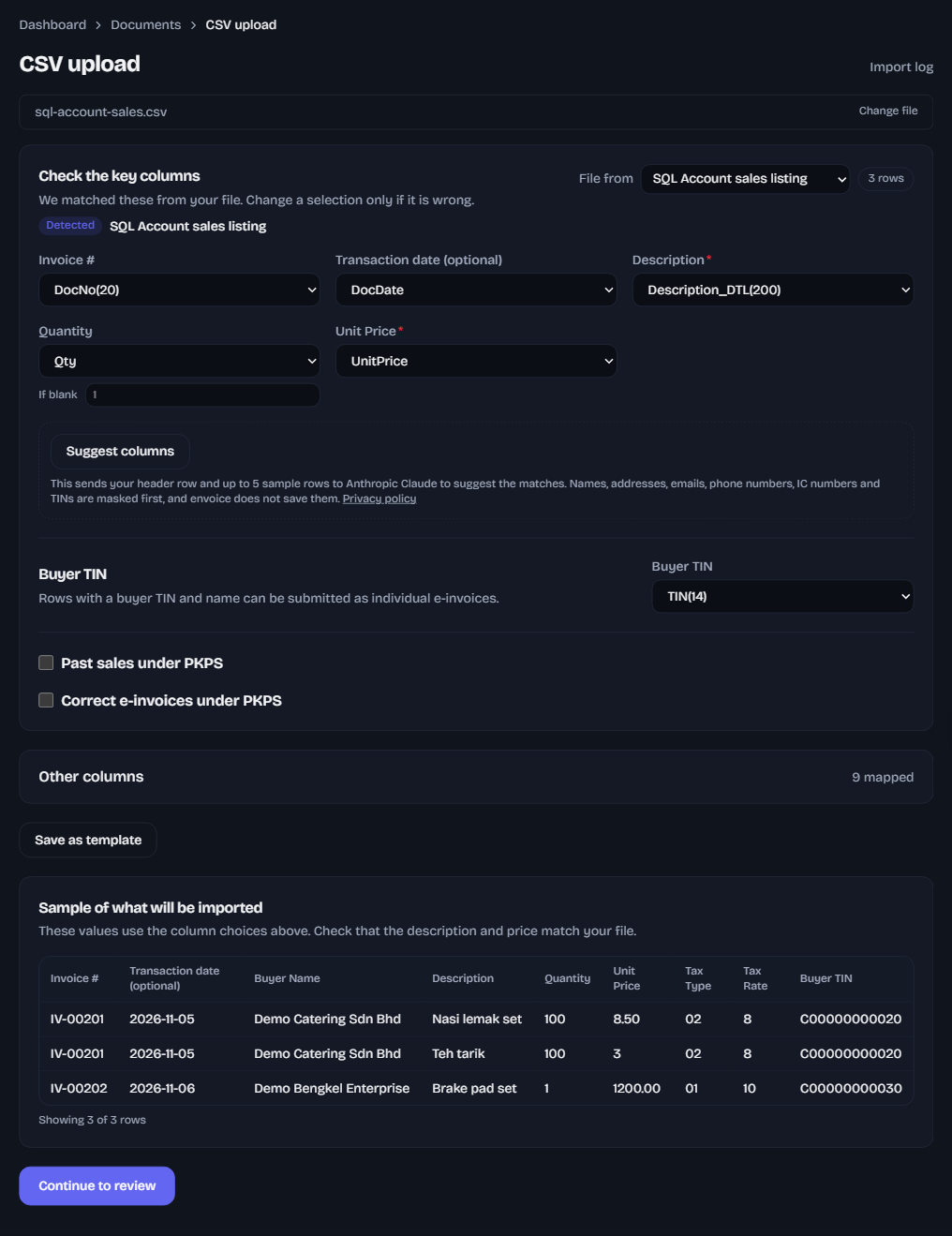
One file holds up to 20,000 rows and 5 MB. envoice reads the header row and picks the columns for you when it recognises the export. If you use SQL Account, see SQL Account e-invoice upload. For a sheet you keep yourself, see upload e-invoices from Excel.
- Rows from this month and last month are refused under PKPS. Those still go through the normal route.
- Every row needs its real sale date.
- Each e-invoice counts toward your plan in the month you upload, not the month of the sale. If you reach the limit, the upload pauses and you click Resume after upgrading.
- CSV upload comes with every plan, Free included.
Step-by-step screenshots for the whole catch-up are in the help guide Fix missed e-invoices under PKPS.
Frequently asked questions
Can I still file e-invoices I missed months ago?
Yes. Under LHDN's PKPS (SVDP), which runs from 7 July 2026 to 31 December 2027, you file them now with the PKPS label and no penalty, as long as the details are correct.
Do I put the original sale date on a late e-invoice?
No. LHDN rejects an issue date more than 72 hours before submission, so the e-invoice carries today's date. envoice keeps the real sale date on the record.
Do I need to apply to LHDN for PKPS?
No. There is no separate registration or application. Filing the e-invoices correctly with the PKPS label is the disclosure.
Can I file one consolidated e-invoice for all the missed months?
No. LHDN wants one consolidated e-invoice for each month of sales, and its own e-invoice for any single sale above RM10,000.
How many rows can I upload at once?
Up to 20,000 rows and 5 MB per file, in Excel or CSV. Each e-invoice counts toward your plan in the month you upload.